How many images do you need for a Krea 2 LoKr? I tried 3, 8 and 15
I trained three LoKrs for Krea 2 on the same character. One got 3 images, one got 8 and one got 15. Then I ran all three through the same photos, styles and poses at the same seeds to see where the extra images actually make a difference. Click any grid for the full-size version.
TLDR: for Krea 2 you can get a LoKr with good likeness from only three pictures. If you want her to keep her likeness in different art styles, you may need more. The 15-image LoKr also wins at hard angles: shots from above, looking back over the shoulder, and profile. At most normal angles all three sizes tied.
Setup
- Model: Krea 2 Raw, trained with ai-toolkit
- Network: LoKr, linear 32 / alpha 32, factor 8, full rank
- Optimizer: automagic3 at lr 1e-4, weight decay 1e-5, sigmoid timesteps, differential guidance 3
- 1024px, batch 1, caption dropout 0.05, model and text encoder in qfloat8
- One rented RTX 5090 on Vast.ai for all the training (more on cost below)
Same recipe for all three sizes. The only things that change are how many images are in the dataset and how many steps each one needs.
Dataset and captions
The dataset is synthetic. She's an AI-generated woman, not a real person. The 3 images are part of the 8, and the 8 are part of the 15, so the bigger datasets only add pictures.
I used no trigger word. The training captions only describe her as "a young Korean woman", and I described everything around her in detail: her hairstyle, the background, the clothing, her facial expression. Nothing in the caption describes her face, so the LoKr has to learn it.
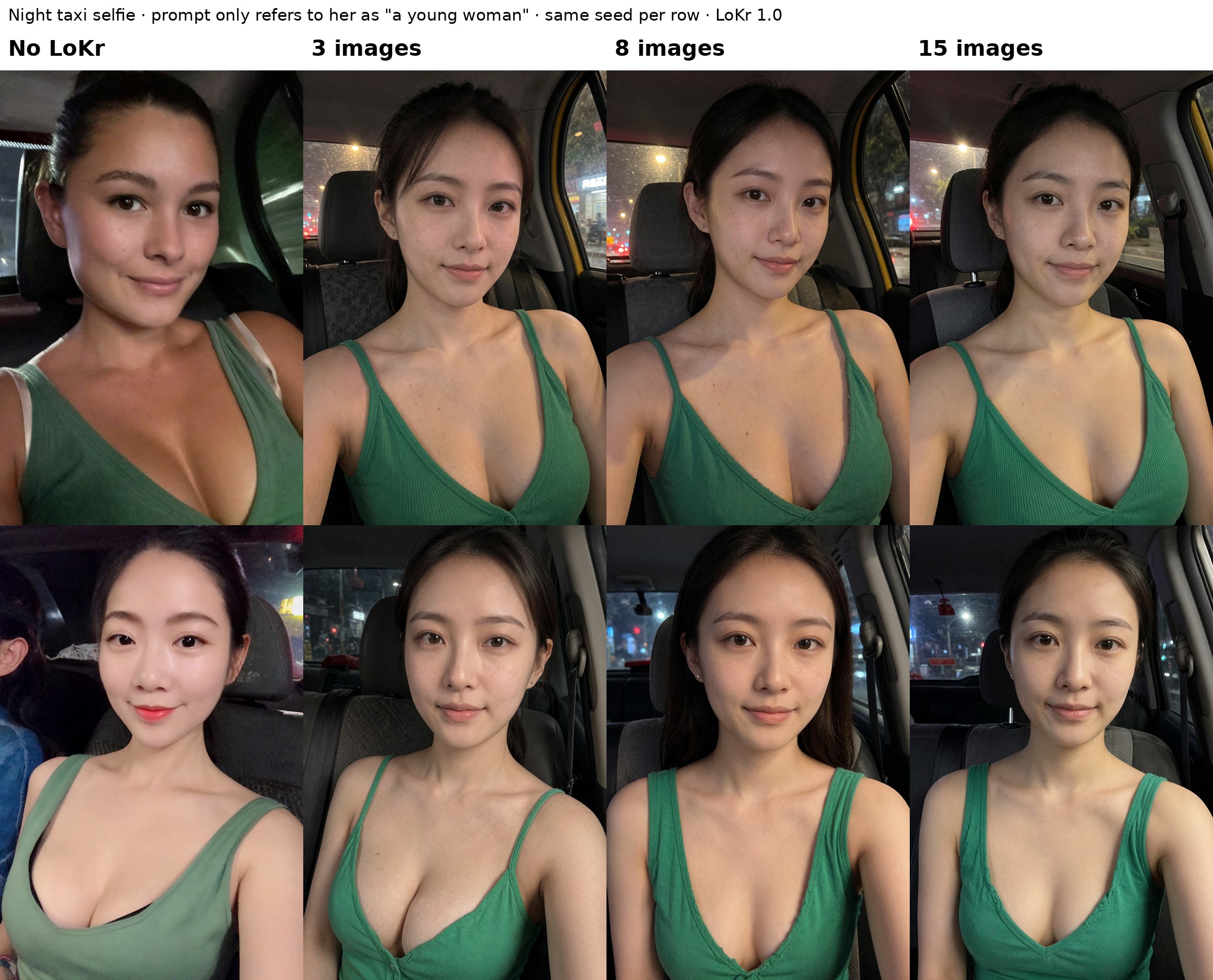
The test prompts are even vaguer. The prompt only refers to her as "a young woman", so anything in the grids that looks like her comes from the LoKr.
You can see all 15 training images with their exact captions here, split into the 3, 8 and 15 image sets.
Step counts
| Dataset | Best checkpoint | Epochs |
|---|---|---|
| 3 images | 1,000 steps | about 330 |
| 8 images | 1,440 steps | 180 |
| 15 images | 2,100 steps | 140 |
I trained each one past this to see where it overcooks. On the 15-image LoKr that showed up around 2,700 steps: selfie prompts collapsed into a centered, frontal headshot that looks like the dataset framing, and it stopped following the prompt. So bigger datasets need more steps, but fewer passes over each image.
Showcase workflow settings
The comparison shots were rendered in ComfyUI with:
- Krea 2 int8 with the qwen3vl 4b text encoder
- Refusal LoRA 1.0, turbo LoRA 0.4 for photos (0.2 for styles)
- 16 steps, cfg 2, euler / beta57, shift 3
- 2:3 at 2MP, Wan2.1 upscale2x VAE
- Same seed for every column in a row
Photos
For normal photos, three images is enough. The taxi selfie at the top shows it best. The base model makes someone else entirely, and the 3, 8 and 15 image LoKrs all give you her. The prompt for it was: close-up smartphone selfie of a young woman looking into the camera with a calm smile. She is sitting in the passenger seat of what appears to be a taxi. The background outside the taxi is night and dark. She is wearing a plunging green tank top
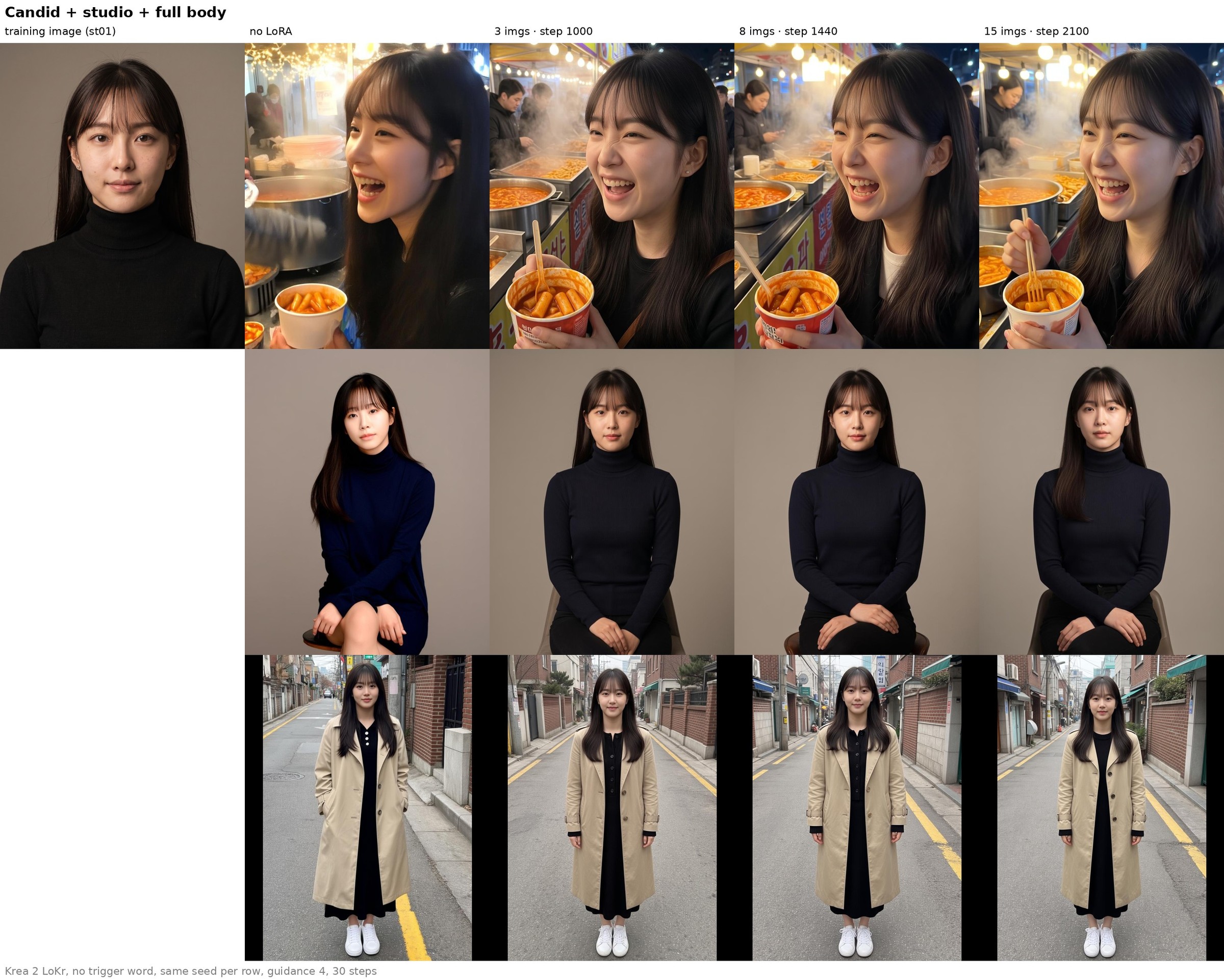
Here are some earlier candid and studio shots too, with one of the training images on the left for reference. These are training samples from ai-toolkit, so they use different settings from the ComfyUI workflow above.
Styles
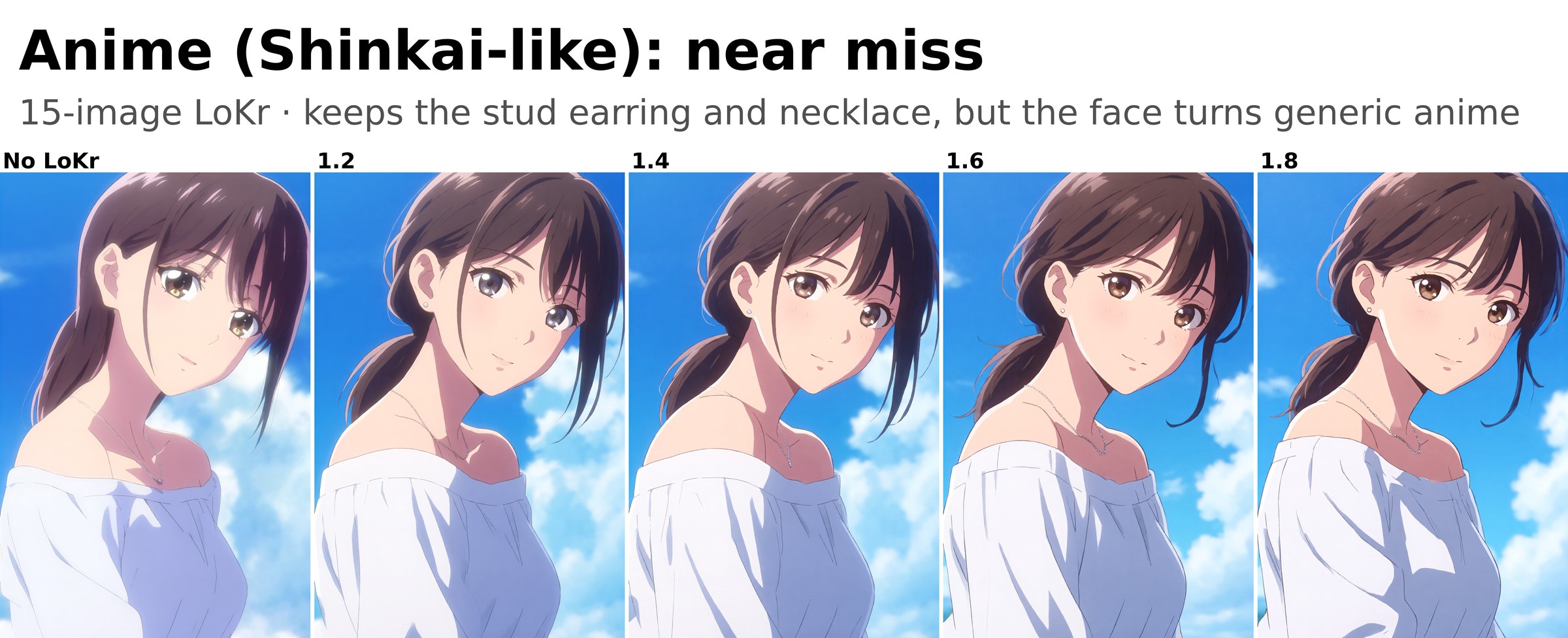
This is where dataset size starts to matter. What I found:
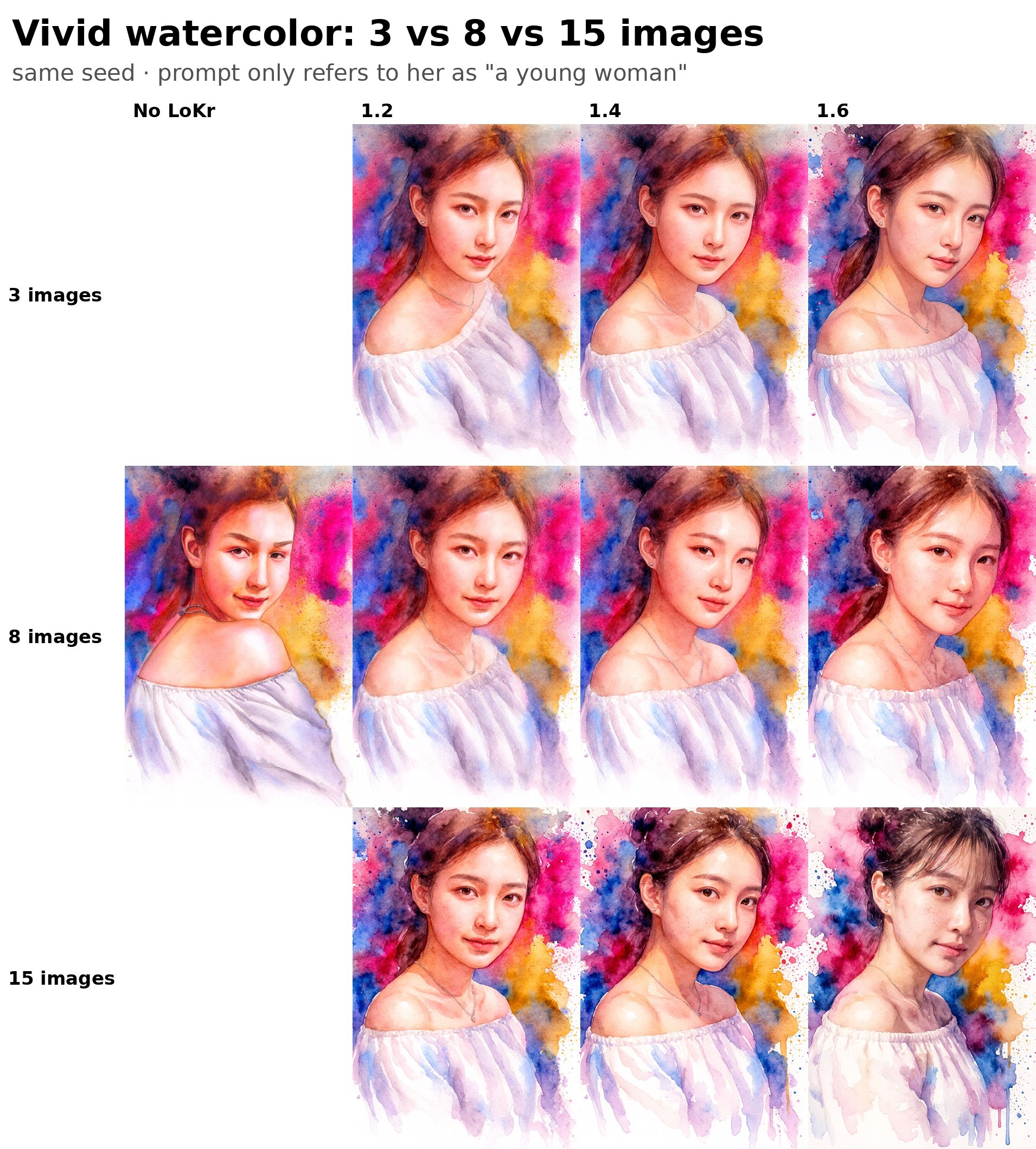
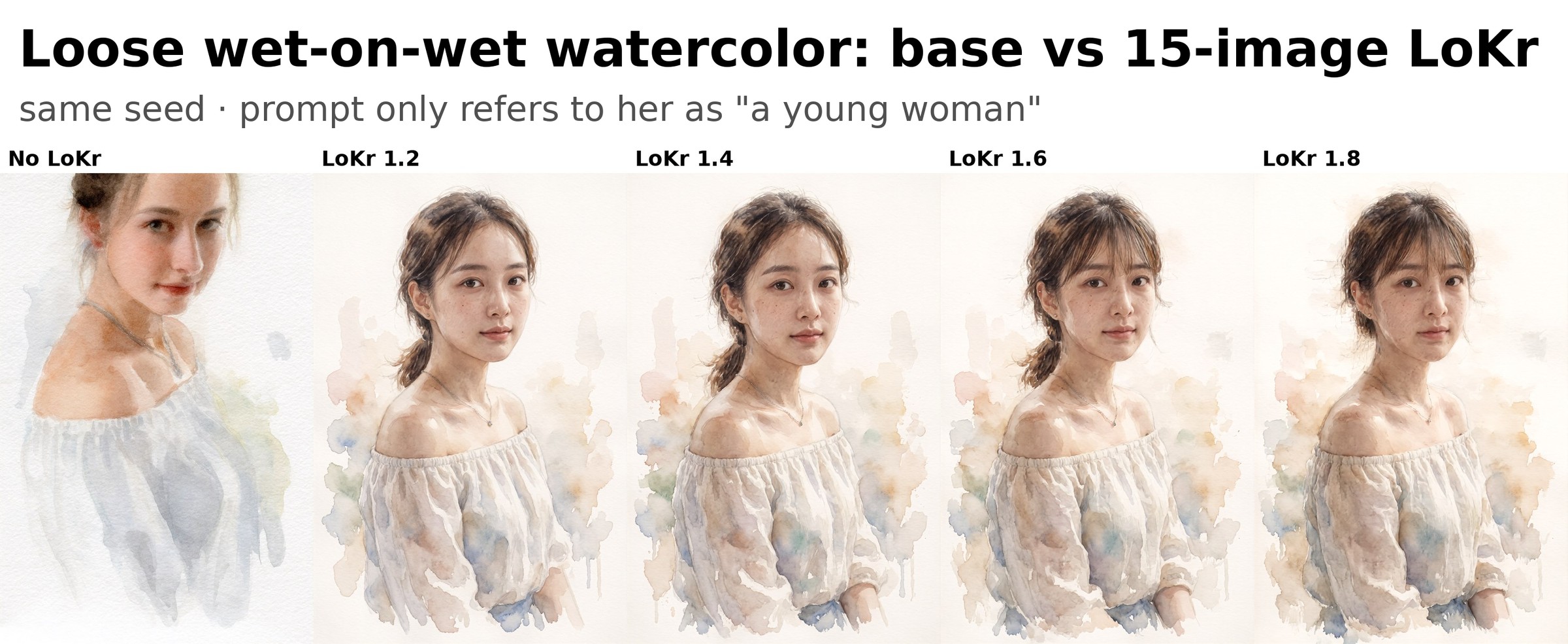
- Styles need LoKr strength 1.2 to 1.6, with turbo at 0.2. At 1.0 she washes out and you get a generic woman in that style.
- At 1.8 bangs start creeping in and the skin gets blotchy.
- She doesn't have one very distinct feature, so in some styles she's just a pretty woman with brown hair. The exception is her stud earrings, which show up in almost every picture, even the style ones.
Watercolor is the clearest win for the 15-image LoKr. Without the LoKr the same prompt gives a Western-looking woman. With it, it's clearly her.

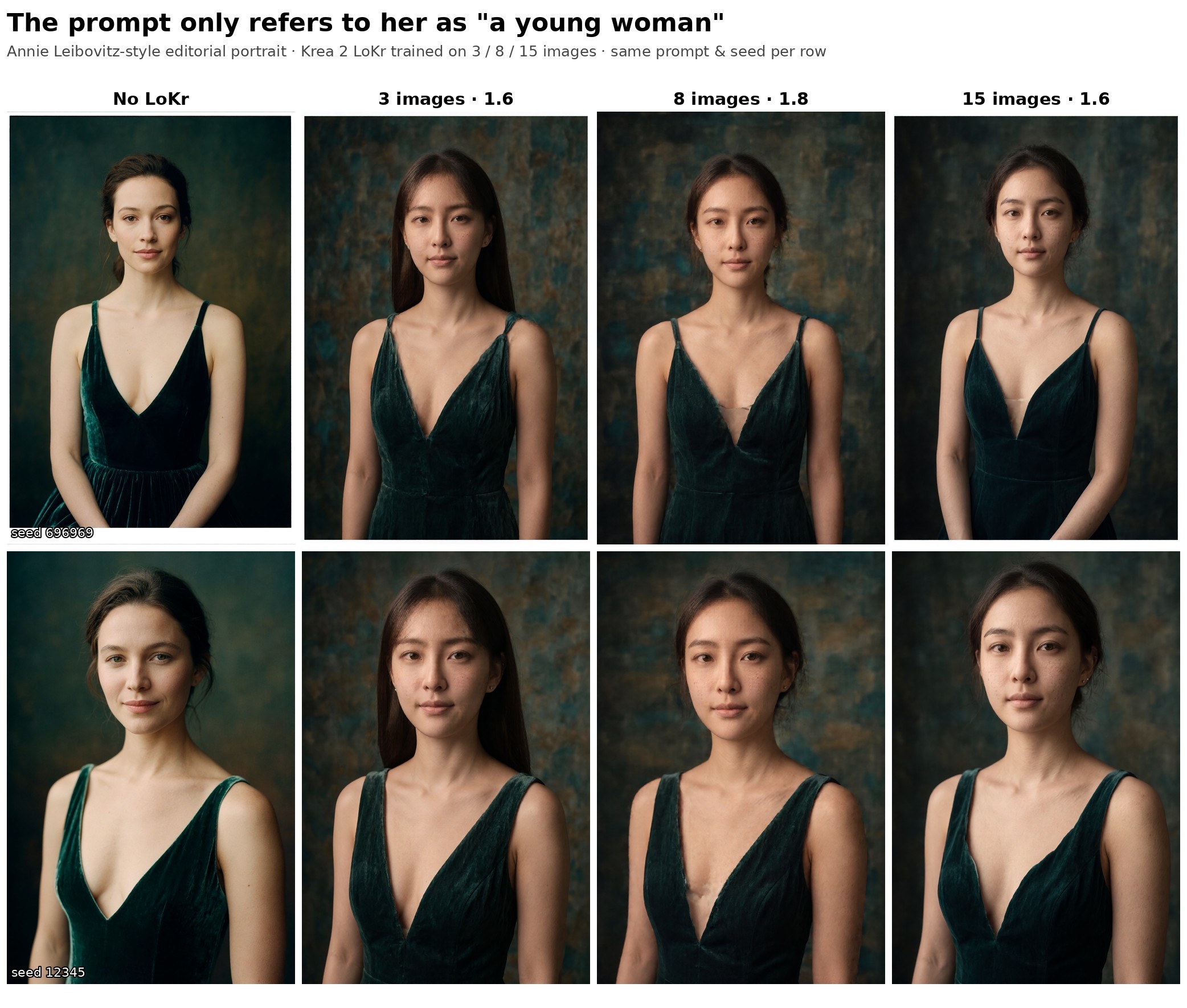
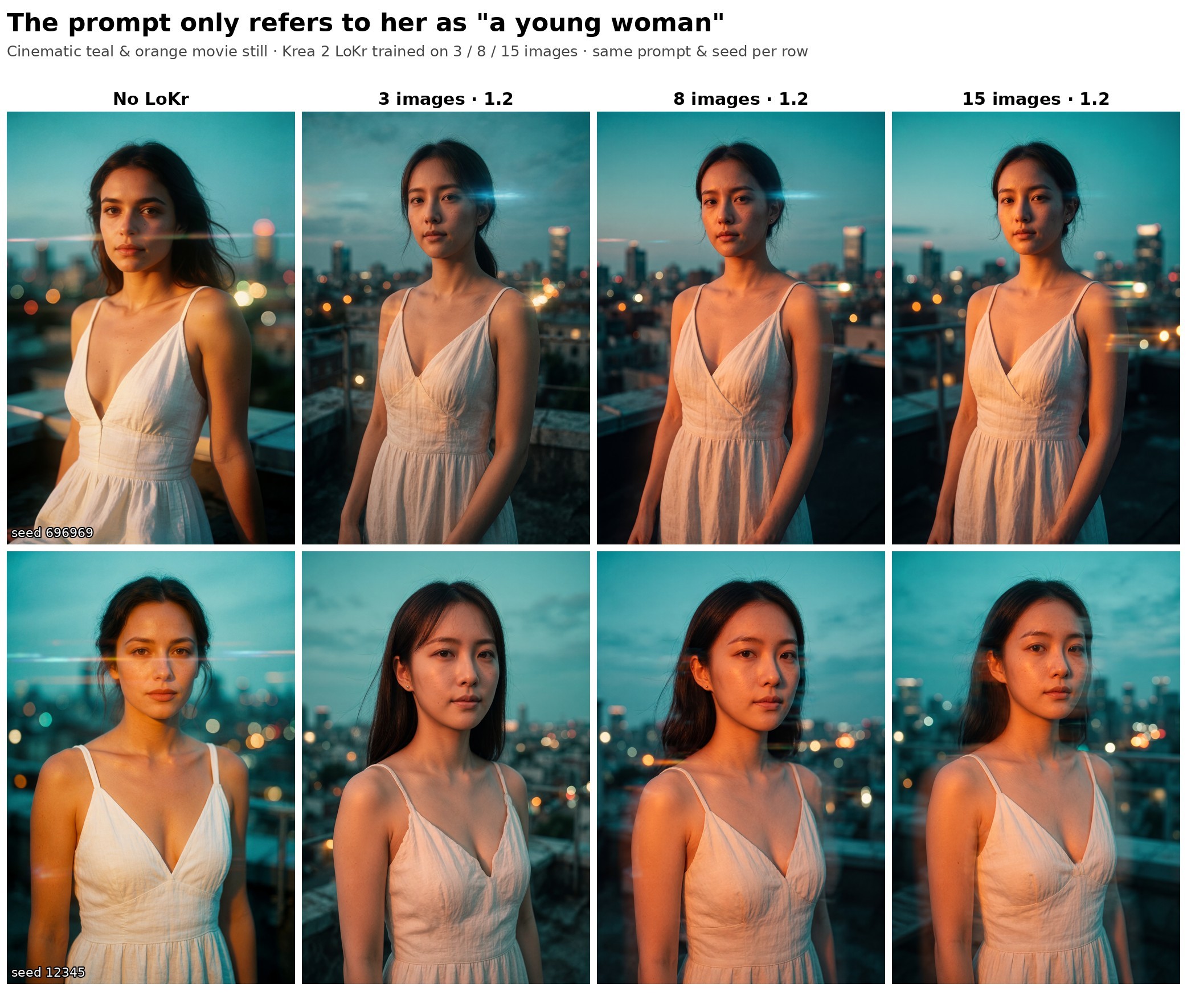
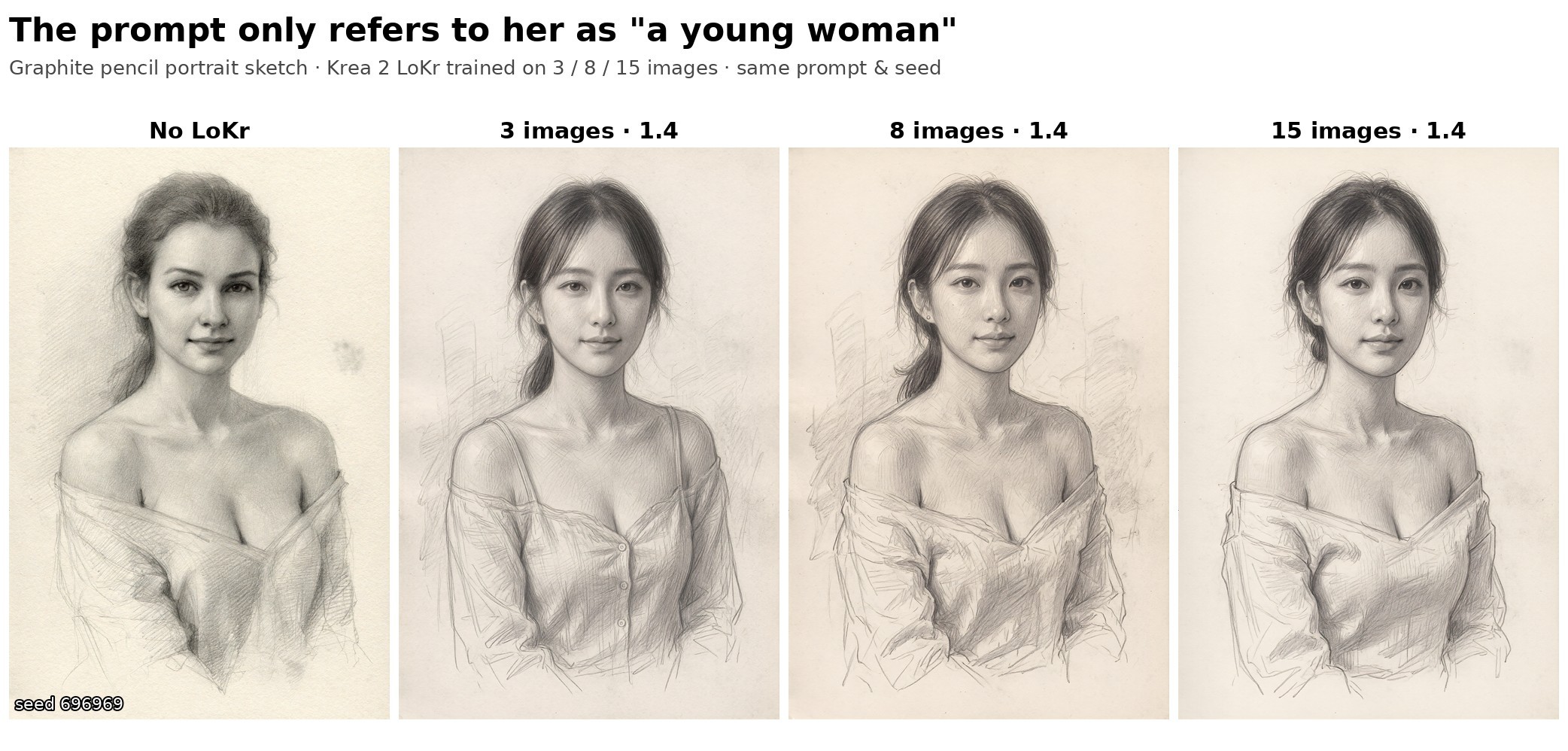
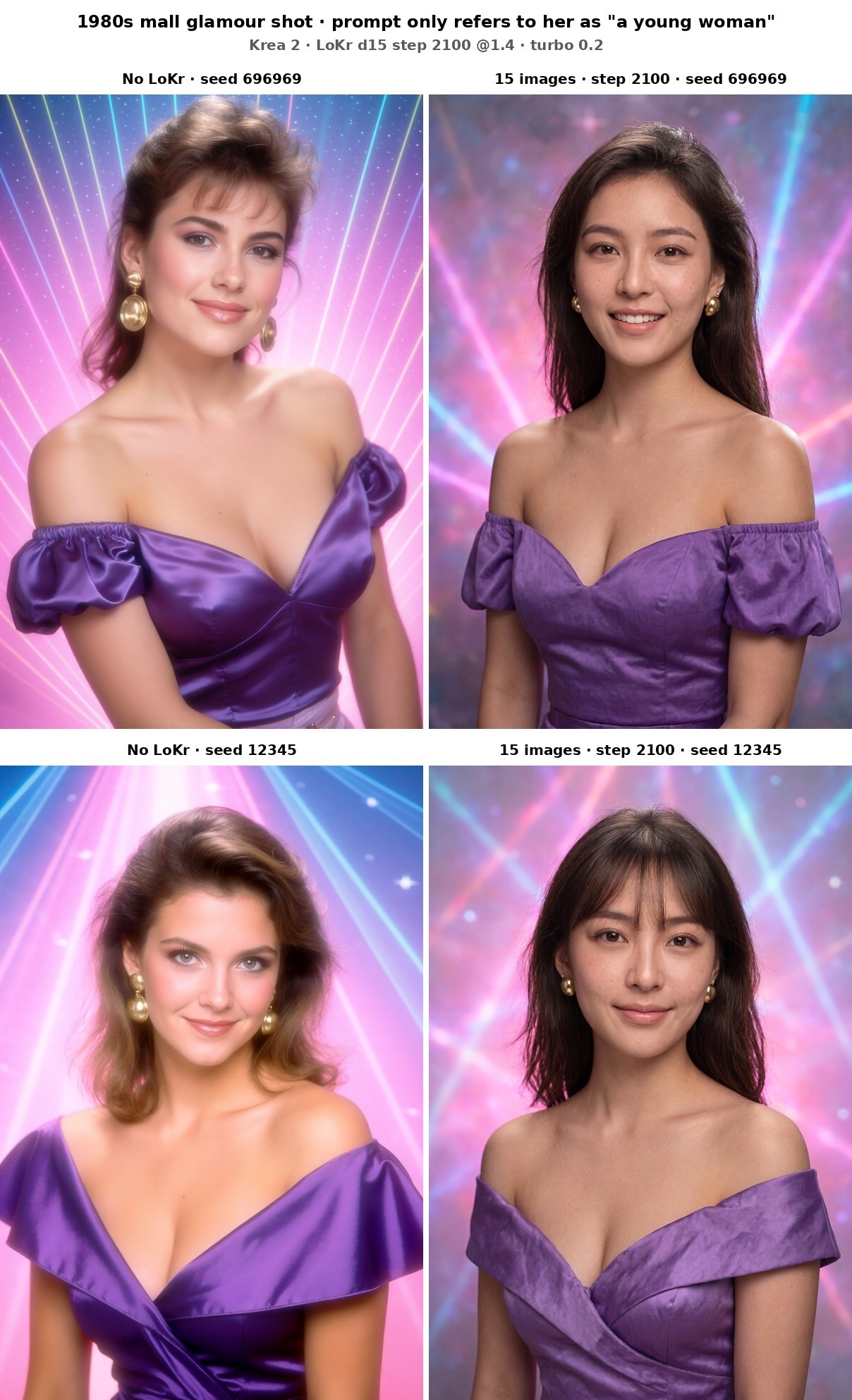
Anime is a near miss, and I'm including it anyway. The stud earring and the necklace survive, but her face turns into a generic anime face.
Poses
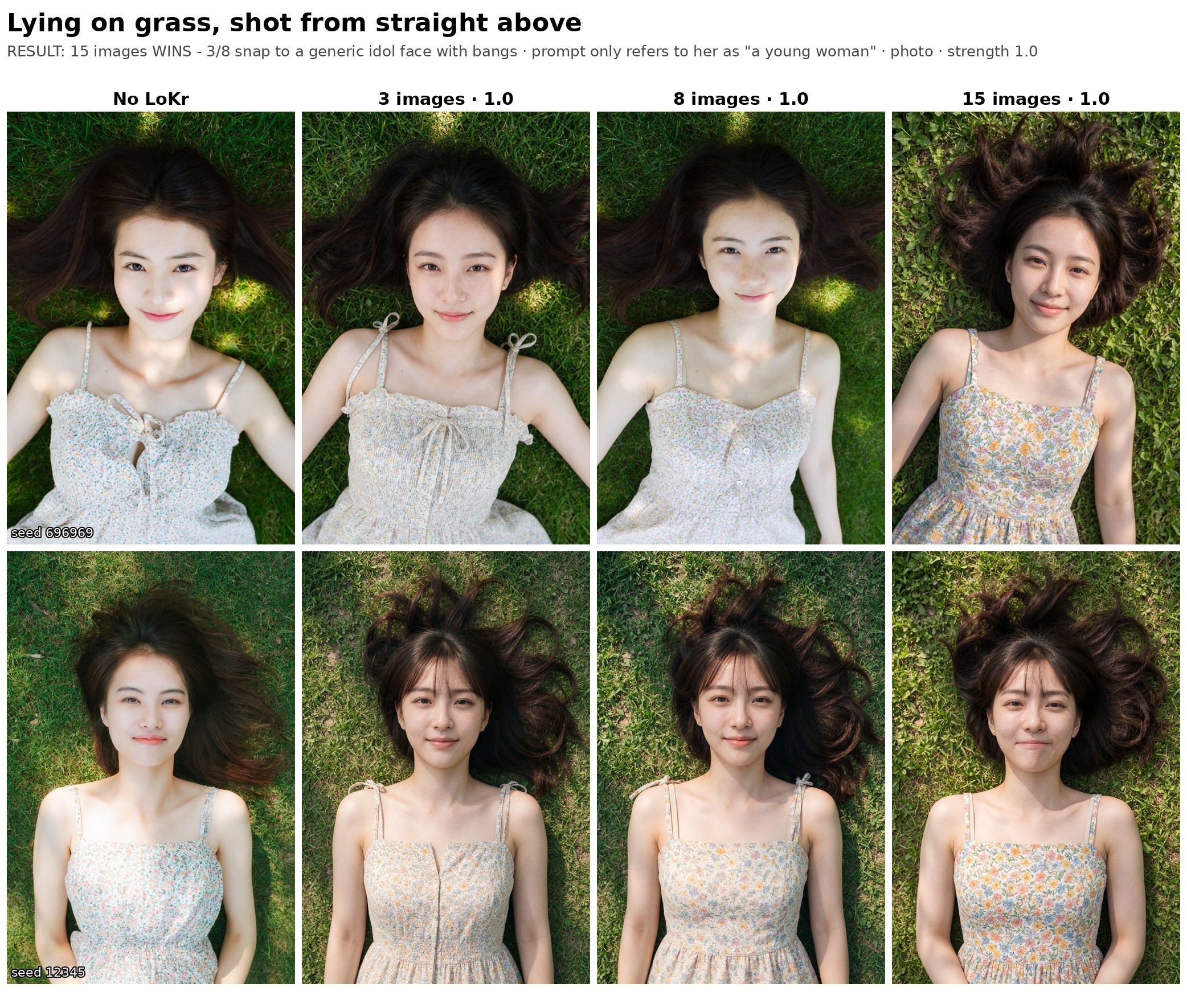
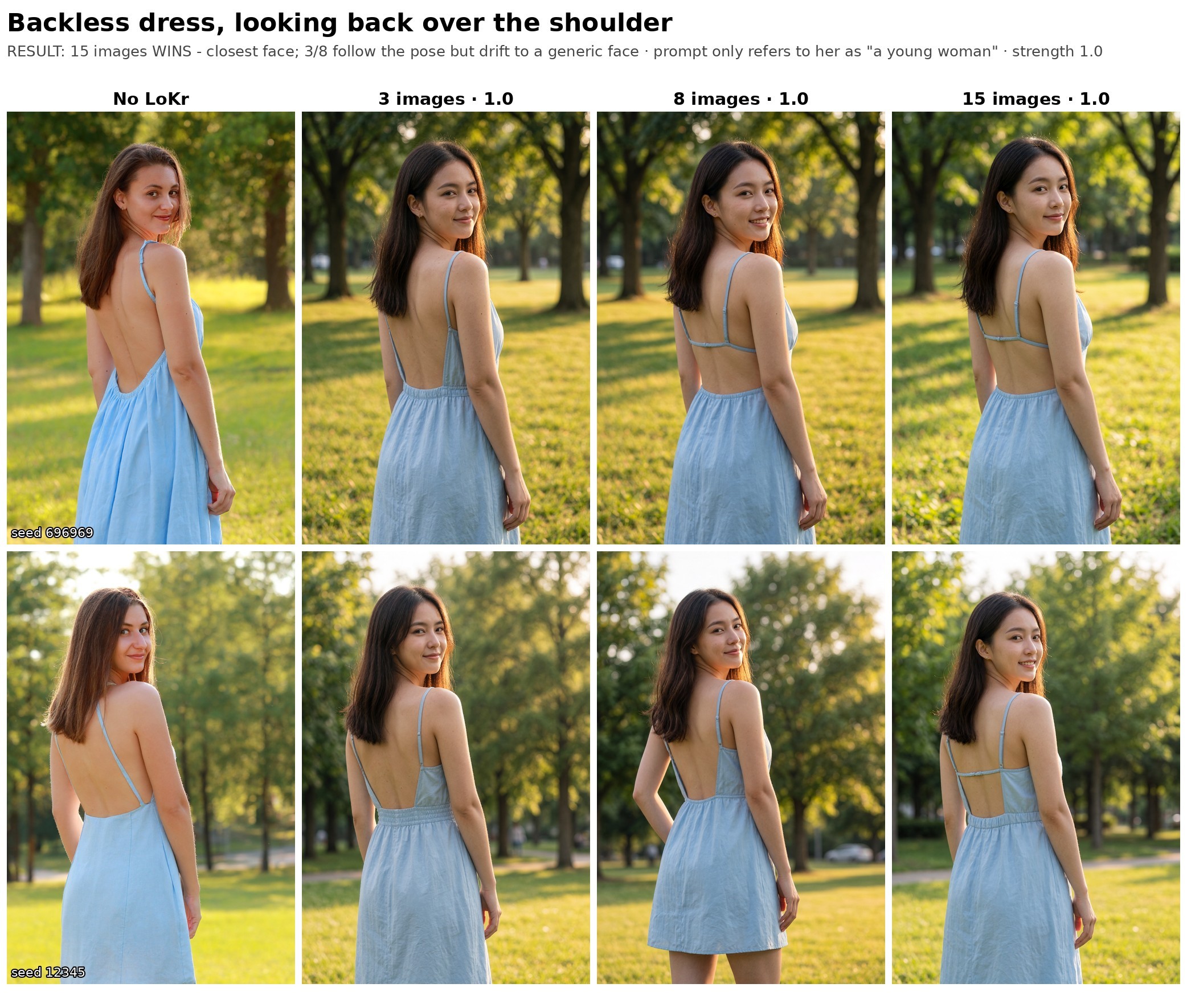
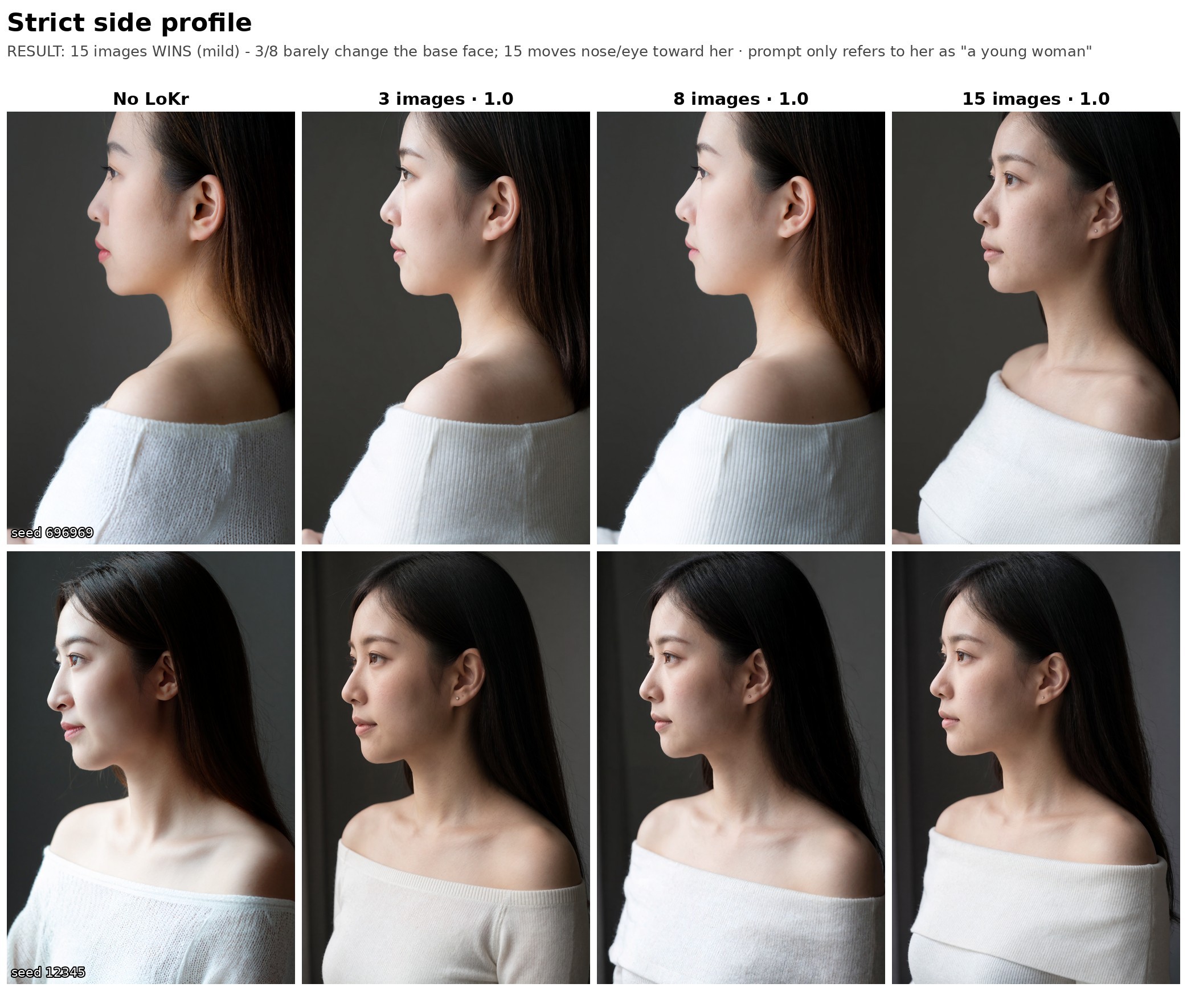
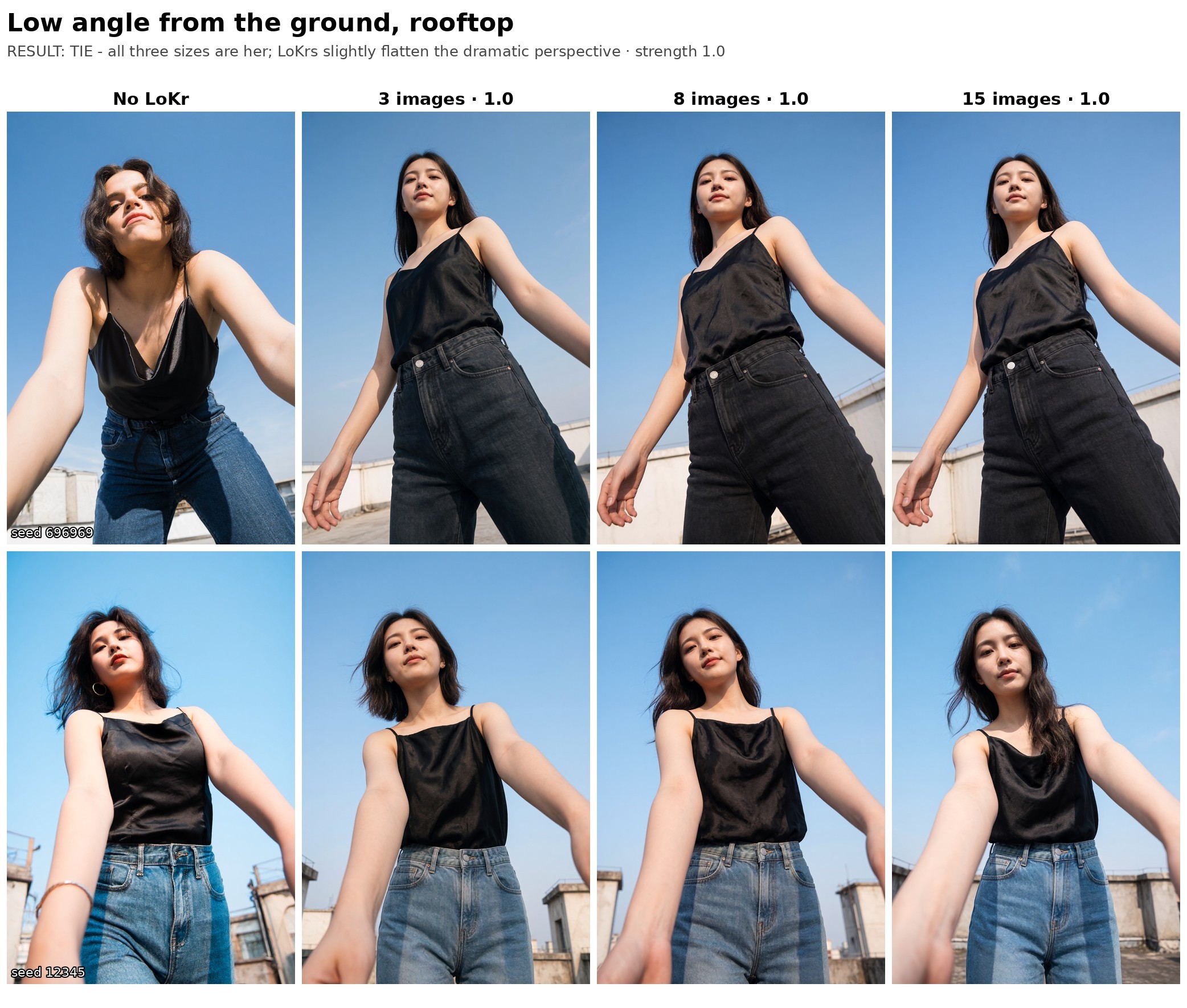
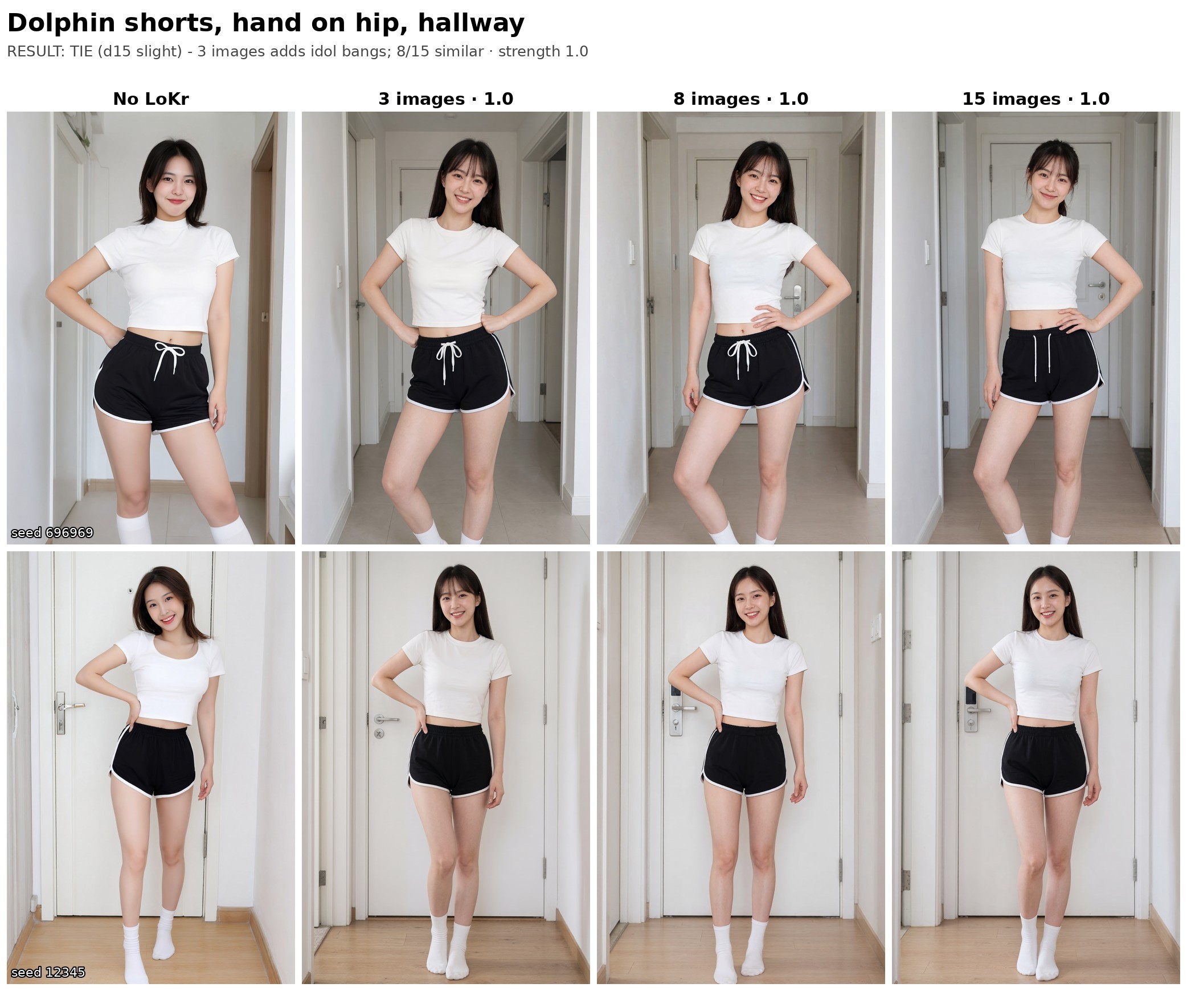
All of these are at LoKr strength 1.0, same seed per row.
Where 15 images wins
The 15-image LoKr wins at the hard angles. The smaller datasets tend to snap back to a generic idol face, often with bangs, when the camera is somewhere they haven't seen her from.
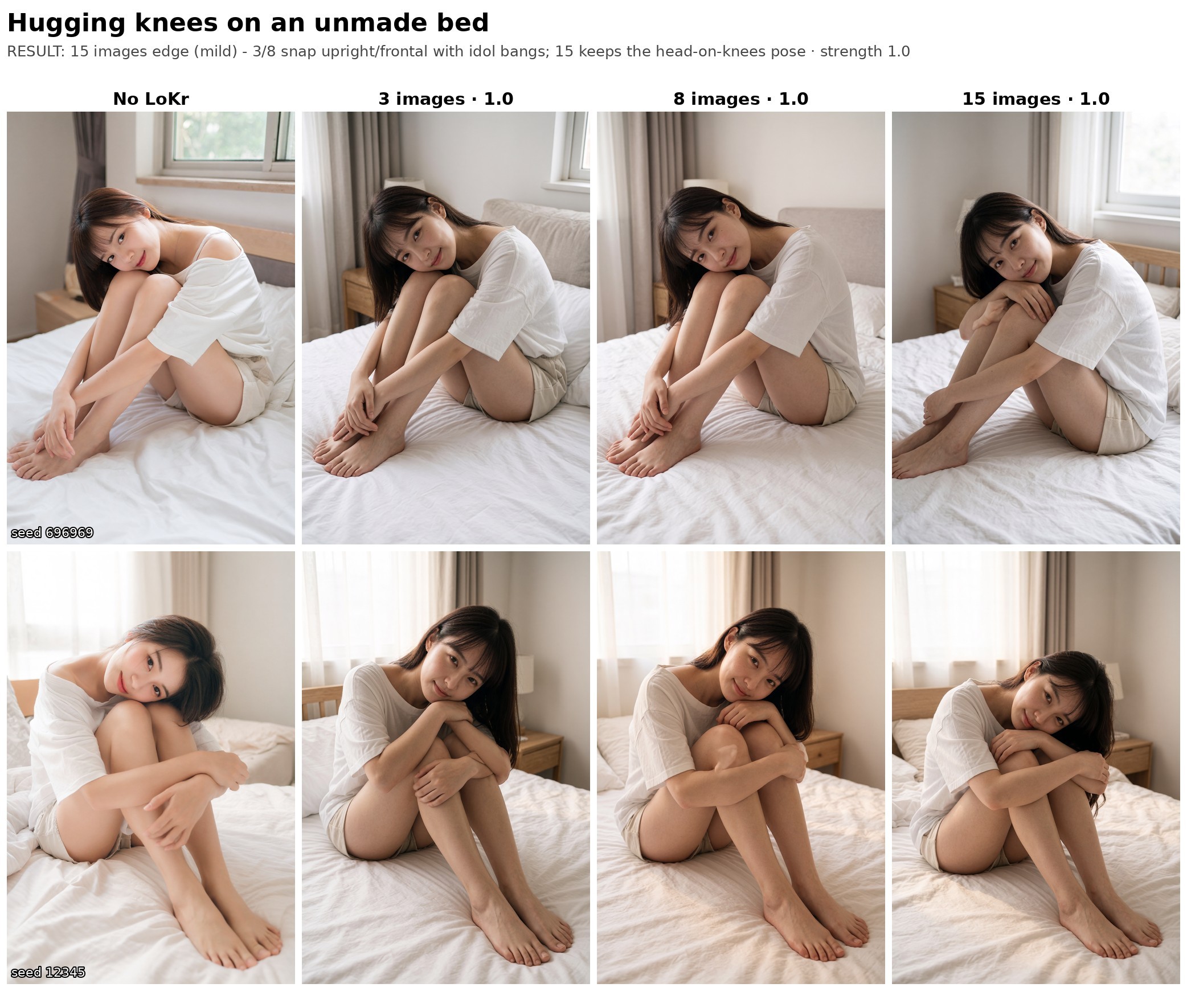
Where they tie
At most angles all three sizes come out about the same. For these, the 3-image LoKr does the job.
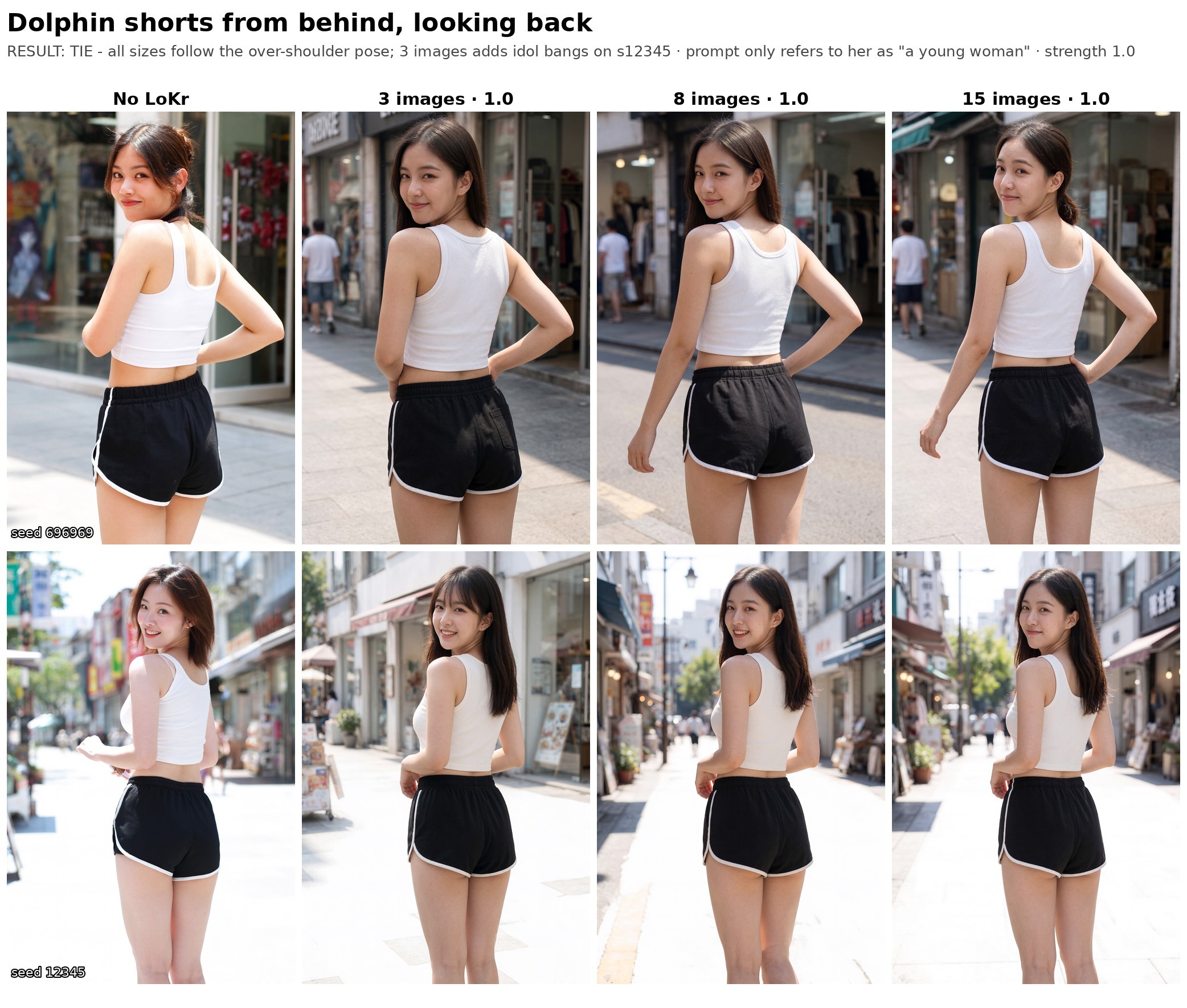
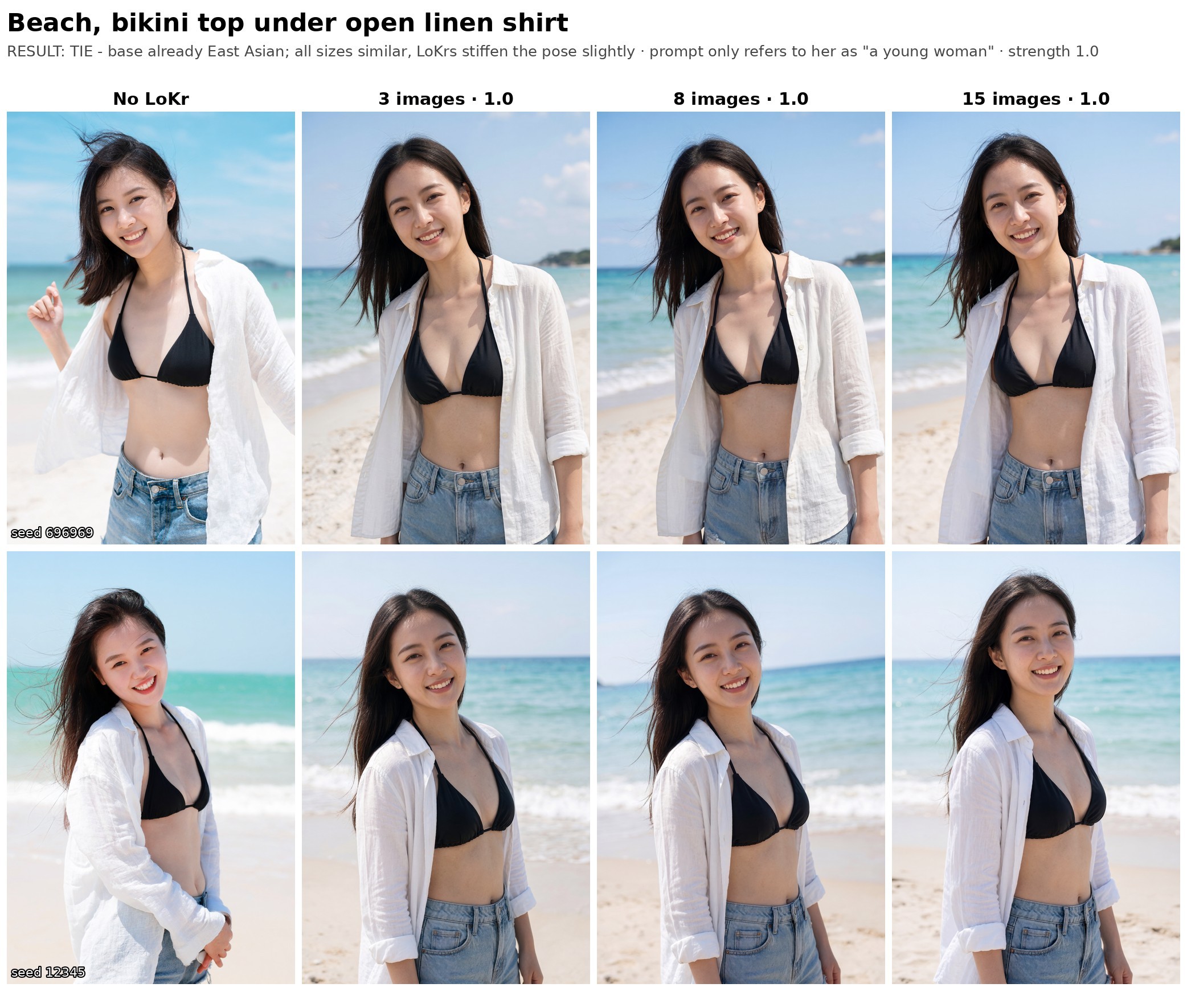
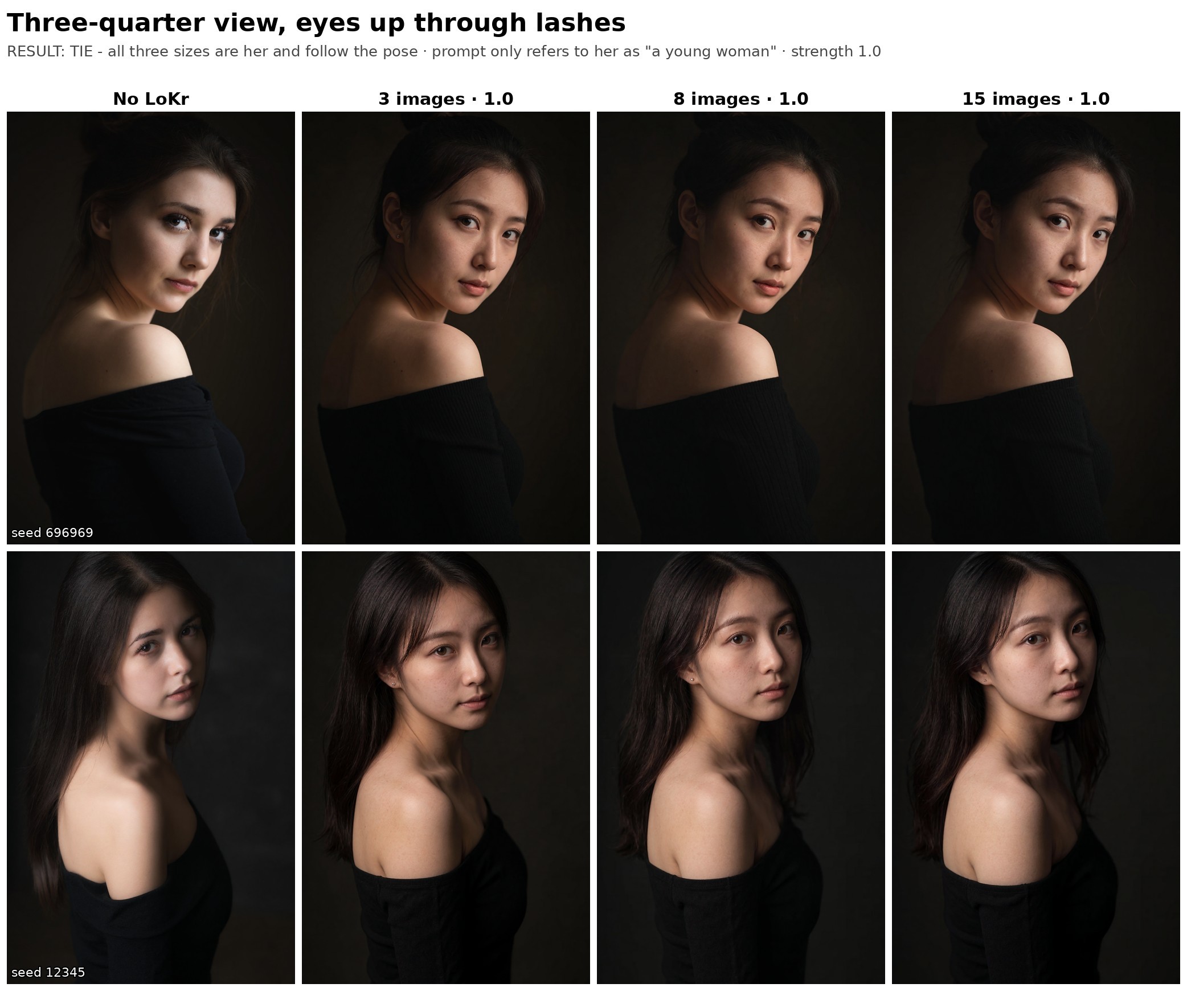
What it cost
The Vast.ai and RunPod links on this page are referral links.
I trained on a single RTX 5090 rented on Vast.ai. My instance was $0.67 an hour including disk. With sampling during training it ran at roughly 4 to 5 seconds per step at 1024px, so per LoKr it works out to roughly this:
| LoKr | Steps | Time on a 5090 | Cost at $0.52 to $0.67/hr |
|---|---|---|---|
| 3 images | 1,000 | about 1 to 1.5 hours | about $0.60 to $1 |
| 8 images | 1,440 | about 1.5 to 2 hours | about $0.80 to $1.30 |
| 15 images | 2,100 | about 2.5 to 3 hours | about $1.30 to $2 |
On top of that there's setup and the model download. Vast charges for bandwidth too, which came to roughly $0.40 for me. The whole training round for all three sizes came to about $8.36, and that includes sample grids and training each one past its peak to find where it overcooks. If you just train to the step counts above, you'll spend a lot less.
The style and pose comparison renders were about $1 to $2 per batch on the rented 5090. Later I switched to rendering comparisons on my own GPU in ComfyUI, which is free apart from electricity.
RTX 5090 prices when I checked on 26 Oct 2026: the cheapest Vast.ai offer was about $0.52/hr, and RunPod lists it at $0.69/hr on community cloud and $1.19/hr on secure cloud. Vast is a marketplace, so price and host reliability vary between hosts. RunPod costs more but is more predictable. Live prices for every card are on cheapest GPU to train a LoRA.
The 3-image LoKr costs about half of what the 15-image one does, and the dataset takes a fraction of the time to make.
Takeaways
- For photos, 3 good images is enough for a Krea 2 LoKr with good likeness.
- If you need her in art styles, or from above, behind or in profile, 15 images is noticeably better.
- For styles, run the LoKr at 1.2 to 1.6 with turbo at 0.2. At 1.0 she washes out.
- Bigger datasets need more steps: 1,000 for 3 images, 1,440 for 8 and 2,100 for 15 with my settings.
I used to keep hunting for more and more high-quality shots of a character before training. Past a point, that just slows you down and, if you rent a GPU, costs more.
My Krea 2 trainer settings and notes are in the Krea 2 LoRA guide.